Creating Reservation Inquiries
The Create Inquiry option in the Create New Reservation screen allows users to create and manage reservation inquiries with only minimal reservation information filled in. The created inquiries can later be converted into a reservation or moved to lost or denied. After the selected reservation end date, the created inquiry cannot be converted into a reservation.
On creating an inquiry, the user will be navigated to the Reservation Inquiry screen that displays all inquiries created for the current day.
Perform the following steps to create a reservation inquiry:
Click Create Reservation from the Reservations menu.
Select a preferred guest, tariff, and guest type. Users can select multiple tariffs or room types if preferred.
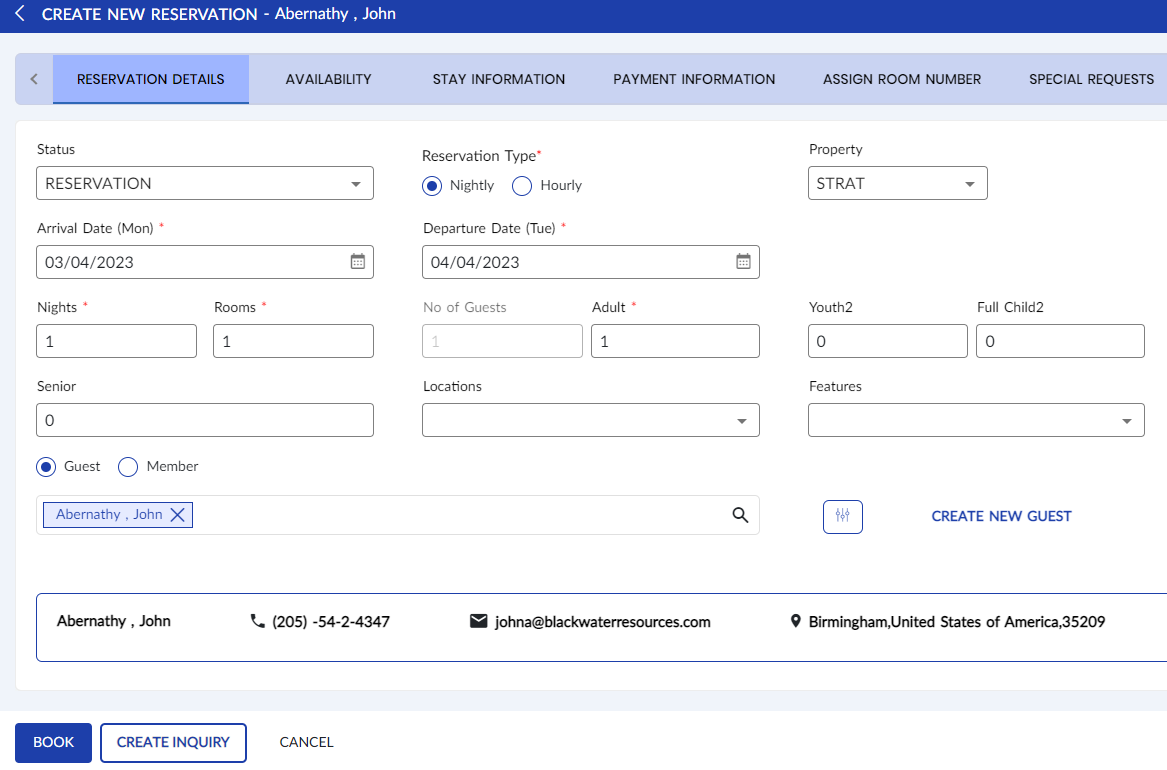
Click Create Inquiry. The inquiry is created, and the user is navigated to the Reservation Inquiry screen.
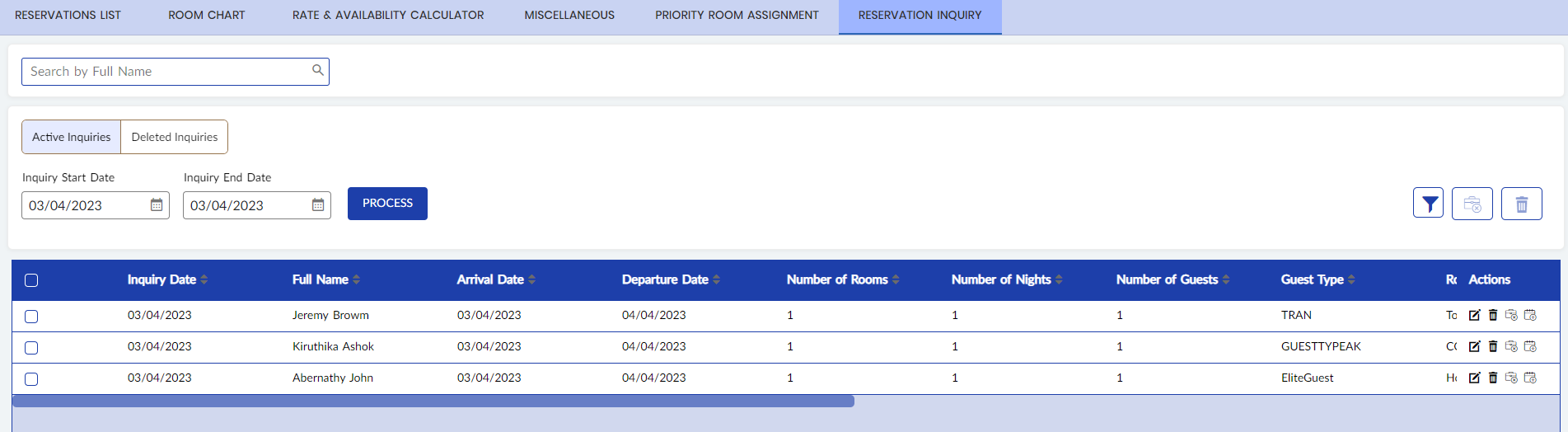
The user can manage (search, edit, delete, convert to reservation, convert to denied or lost) inquiries from this screen. For more information on how inquiries can be converted into a reservation or lost or denied business, refer to the Manage Reservation Inquiries section in this document.